The screen time app you can't cheat with one tap.
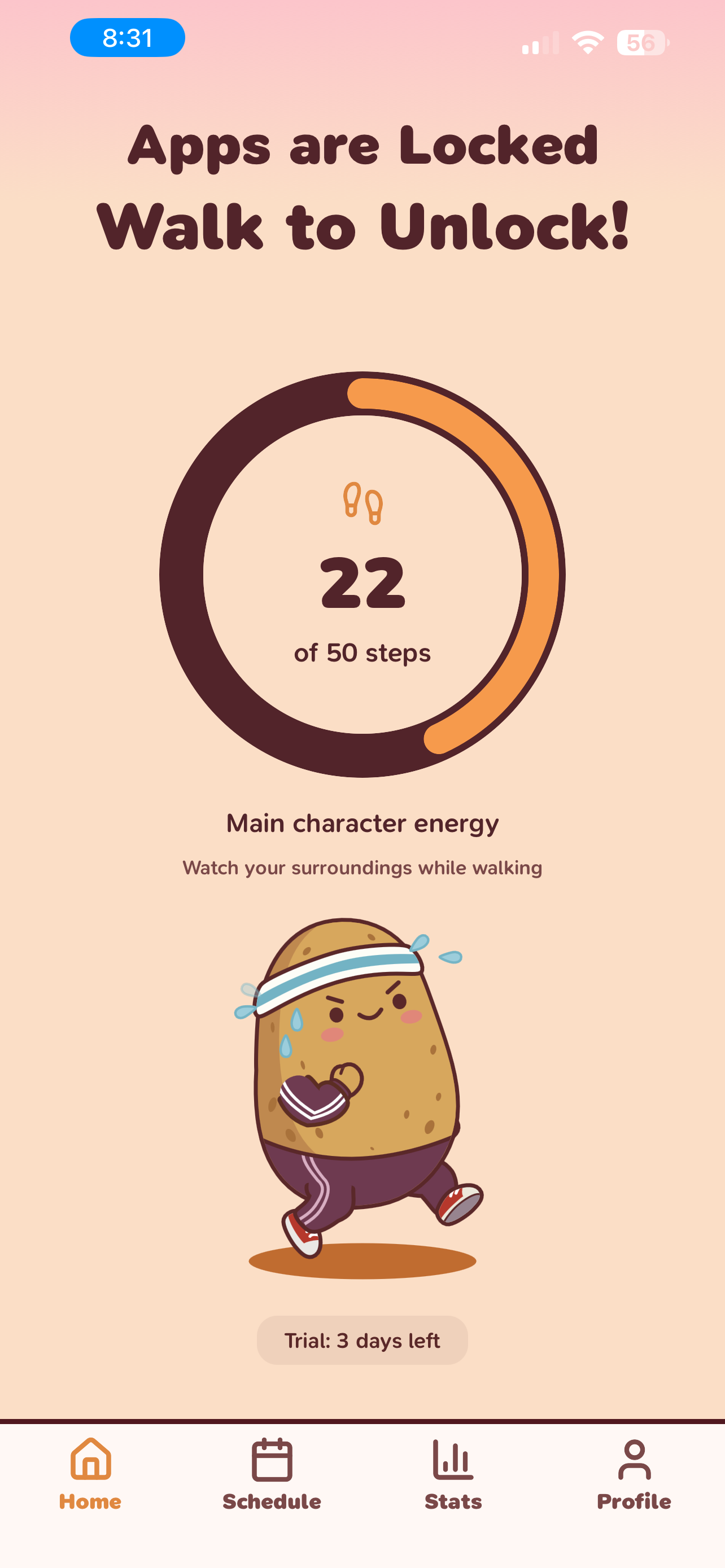
Lock distracting apps behind a walk. No passcodes to bypass, no limits to ignore — just real steps before you scroll. Reduce screen time and beat phone addiction with movement, not willpower.
3-day free trial included. iOS 16 or later required.
How Couch Potato works
Three steps to reduce screen time and focus on what matters.
Pick your time traps
Choose Instagram, TikTok, Reddit — whatever steals your hours. Couch Potato uses iOS Screen Time to lock them.
Set your price
Morning Jail locks apps until you move. Doomscroll Lock repeats after every session. You set the step goal.
Walk, unlock, repeat
Hit your step goal, earn a focused break. The urge to scroll often fades before the walk ends.
Beat phone addiction with features that actually work
Real steps, no passcodes
You can't cheat a walk. Unlike Screen Time limits you tap through in 2 seconds, Couch Potato requires real movement. Anti-cheat keeps it honest.
Wake up on your feet
Stop starting every morning in a scroll hole. Morning Jail locks your worst apps until you walk — so your first 30 minutes are yours.
Repeatable focus sessions
Unlock for 15 minutes, apps re-lock automatically. No willpower required for the second session or the tenth.
Set your own step targets
Pick from easy to beast mode, or set a custom goal and unlock duration. Your rules, your pace.
Progress you can see
Track streaks, unlock achievements, and see how much screen time you've reclaimed from social media addiction.
Gentle nudges back to focus
Lock reminders and daily check-ins support your digital wellbeing without nagging.
Safety, control, and digital wellbeing built in
Couch Potato relies on iOS Screen Time, so you are never locked out. Remove access instantly from Settings if you need full control.
Use the app responsibly and do not stare at the screen while moving.
Privacy-first by design
Couch Potato is local-first. Your step data, block lists, and habit stats stay on your device. There is no account required and no data resale.
Motion data for step counts, Screen Time permission for app blocking, optional notifications for reminders.
Simple pricing, real results
Most screen time apps charge $10-20/month. Couch Potato starts free. Pricing shown in the App Store and may vary by region.
Free trial
3 days
Full access to every feature. No credit card required to start.
Weekly
$2.99/week
Perfect for testing a new routine or short-term focus goals.
Annual
$29.99/year
Less than a coffee per week. Build long-term habits at about $2.50/month.
Frequently asked questions
How does Couch Potato lock apps?
It uses iOS Screen Time to apply restrictions to the apps you select. You choose which apps to lock and set a step goal. The apps stay locked until you walk enough steps to unlock them.
Can I cheat it?
No. Anti-cheat detection catches phone shaking and fake movement. Couch Potato requires real walking steps verified by your iPhone's motion sensors.
Can I get locked out of my phone?
No. You can remove Screen Time access at any time from Settings. Essential apps like Phone and Messages always stay accessible.
What if I'm injured or can't walk?
You can remove all restrictions anytime from Settings > Screen Time. Couch Potato never locks you out of your phone — you're always in control.
Why not just use Screen Time?
Because you can bypass Apple's Screen Time limits with one tap. Couch Potato requires real physical movement — you can't cheat a walk.
What data do you collect?
Step counts, blocked app tokens, and habit stats are stored locally on your device. There is no account required and no data is sold or shared.
Does it work with Apple Watch?
Step counting works with your iPhone's built-in motion sensors. No Apple Watch required.
Does it block system apps like Phone or Messages?
No. Essential apps stay accessible for safety. You only lock the apps you choose.
What devices are supported?
Couch Potato is built for iPhone with iOS 16 or later.
Is it worth paying for?
If Couch Potato saves you even 30 minutes of doomscrolling per day, that's over 180 hours a year reclaimed. The annual plan works out to about $2.50 per month — less than a coffee per week.
Ready to trade scrolling for steps?
Download Couch Potato and start walking to unlock. 3-day free trial included.